


RGB Wireless Keyboard & Mouse Combo – Bluetooth & 2.4GHz for Tablet, Phone & PC
Shop with confidence – 21-Days Returns
Your satisfaction matters to us. If you’re not completely happy with your purchase, you can return it within 21 days for a refund or exchange, subject to our policy terms.
Please visit our Refunds & Returns Policy page for complete information.
Top-Tier Support
Friendly, responsive, and reliable - Our support team is always ready to help. From pre-purchase questions to after-sales assistance, we’re available 7 days a week, round the clock to support you. Just drop us a message at admin@samantafactory.com - we're always here for you.
Rainbow RGB Backlit Wireless Keyboard & Mouse Combo for Tablet, Phone & PC
Light up your workspace with this ultra-thin rainbow RGB wireless keyboard and mouse combo, featuring stunning 7-color backlit keys, breathing light mouse, and seamless Bluetooth plus 2.4GHz dual connectivity. Compatible with Android, Windows, iOS, and macOS across smartphones, tablets, laptops, and desktop PCs — silent keys, multi-language support, and long battery life make it the ultimate portable typing solution.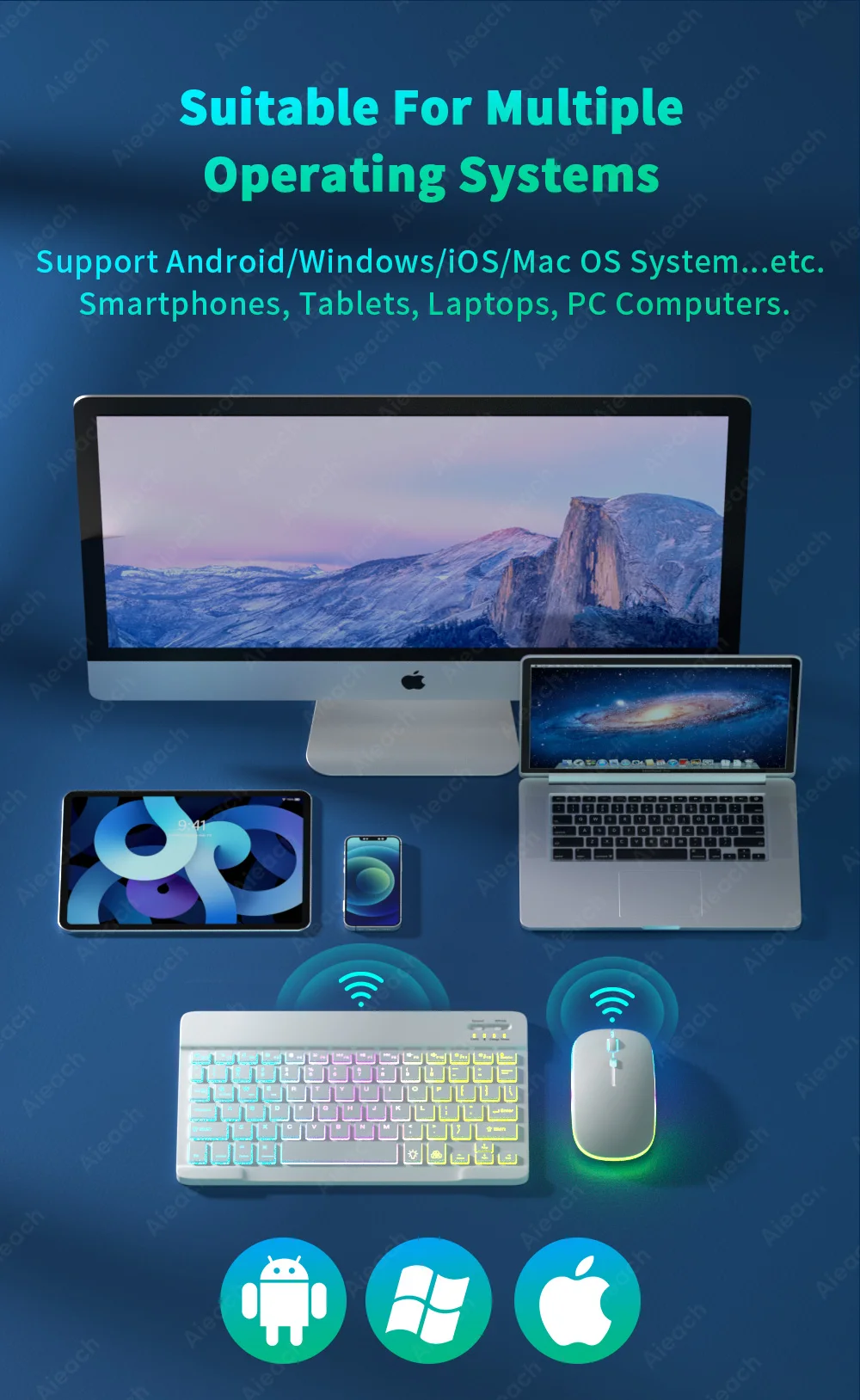
Key Benefits:
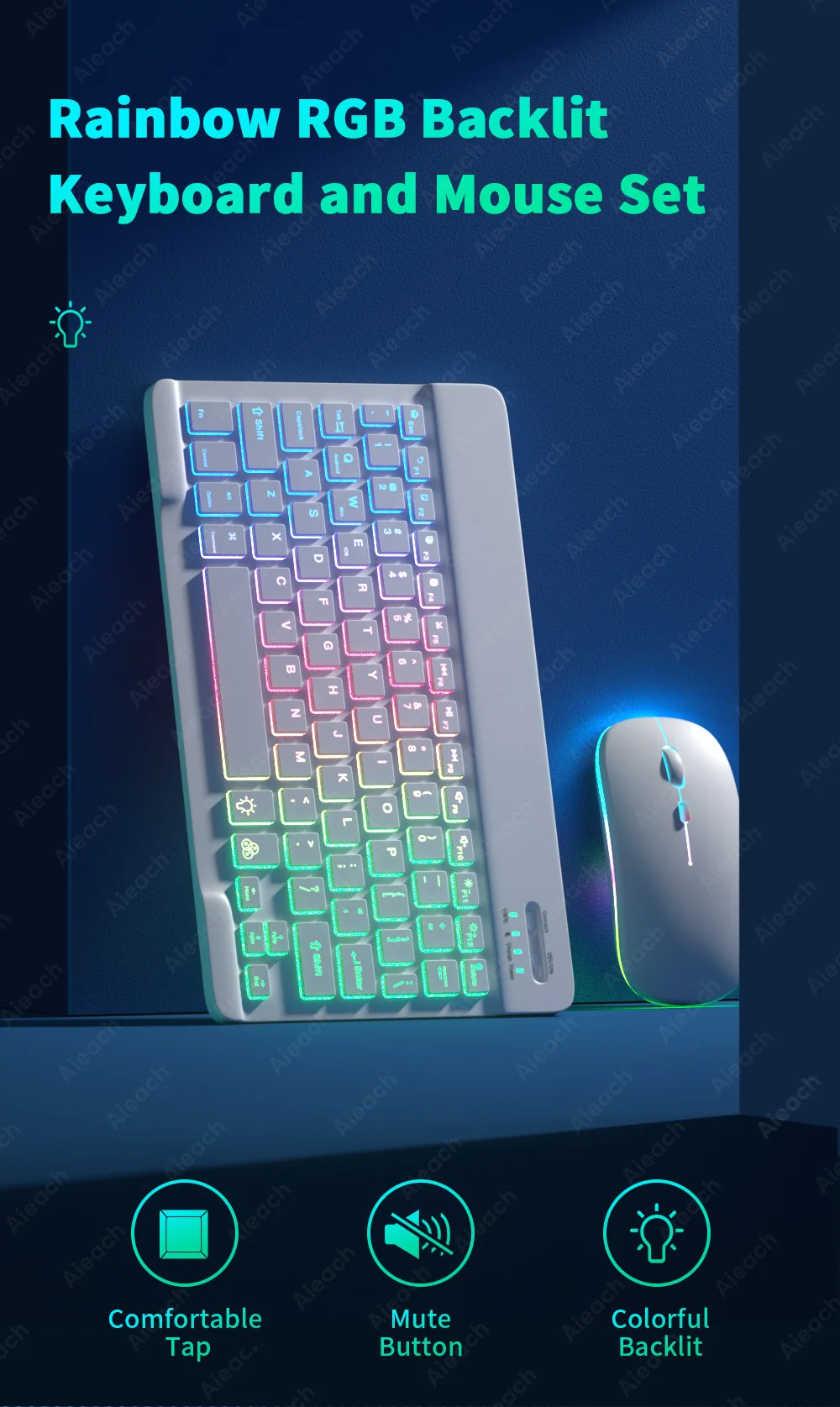
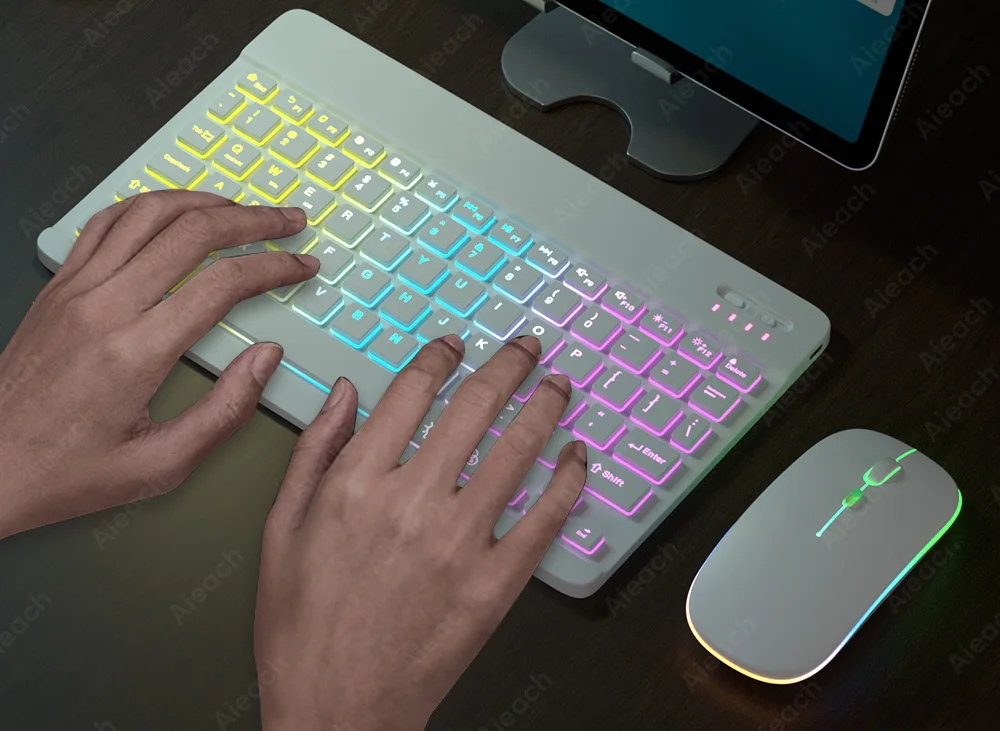
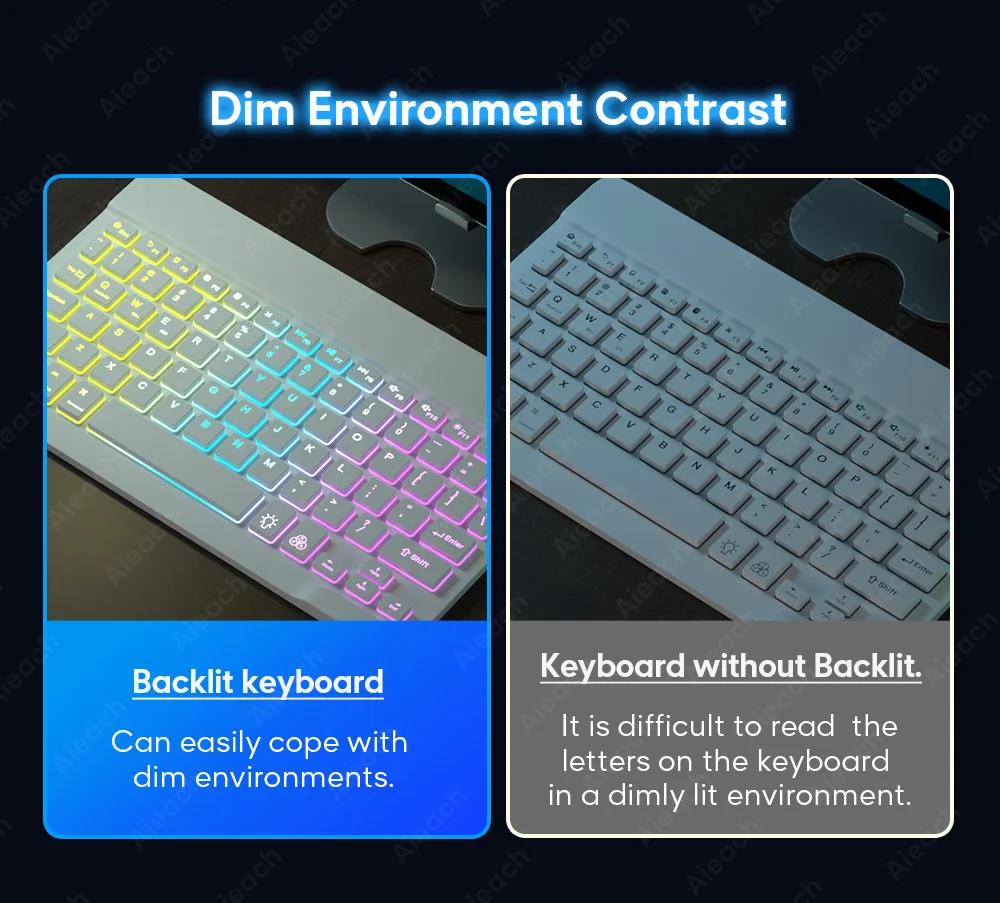
- Rainbow RGB 7-Color Backlit Keyboard: New rainbow gradient LED lighting with 2 light modes — press once for steady backlight, twice for breathing mode, three times to switch off — perfect for dim environments and stylish setups.
- Breathing Surround Light Mouse: Colorful breathing RGB light cycles through vibrant colors automatically, adding a dynamic, eye-catching glow to your entire workspace.
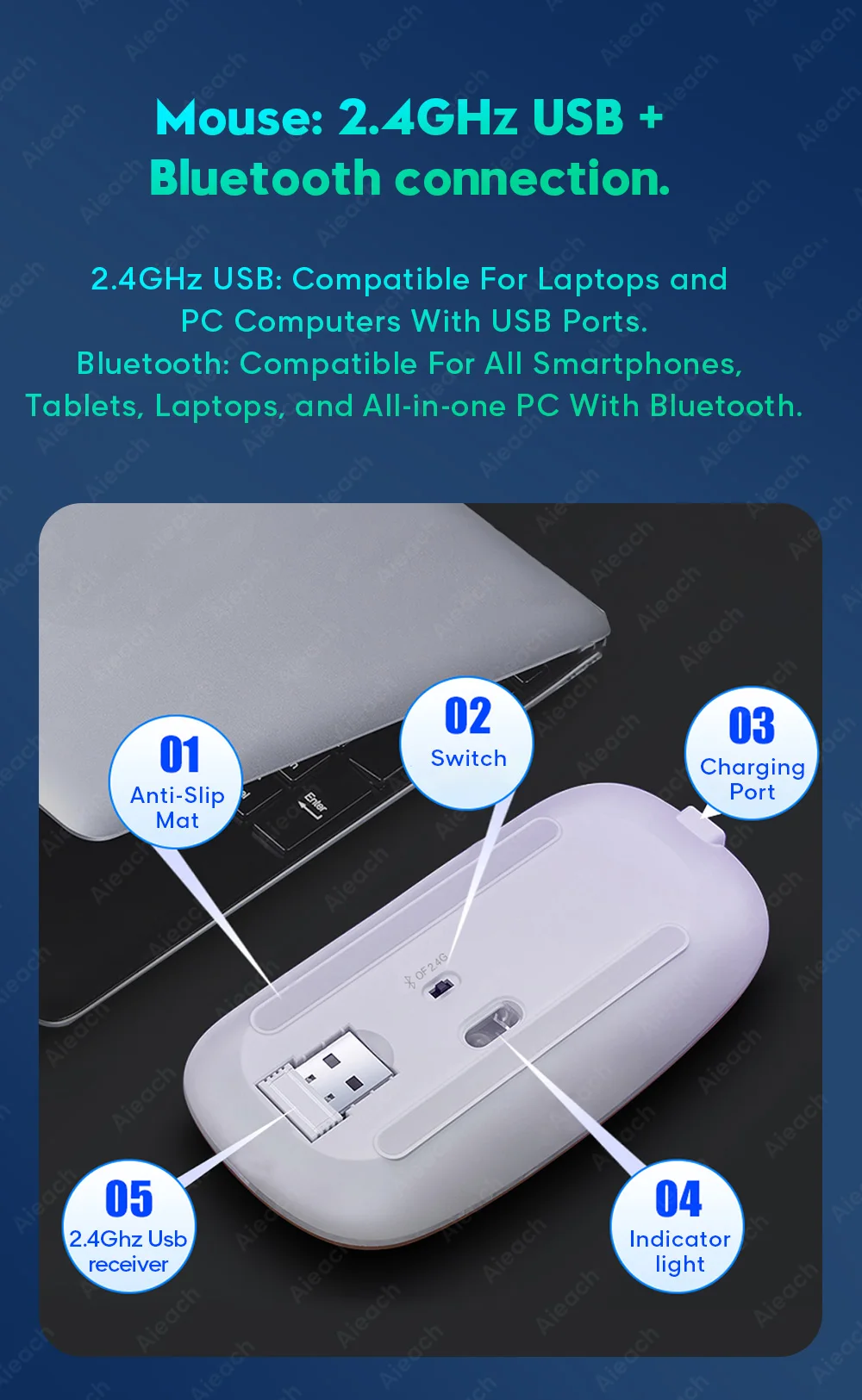
- Bluetooth & 2.4GHz Dual Connection: Mouse connects via both Bluetooth and 2.4GHz USB receiver — use the USB receiver for laptops and PCs, or Bluetooth for smartphones, tablets, and all-in-one PCs without USB ports.
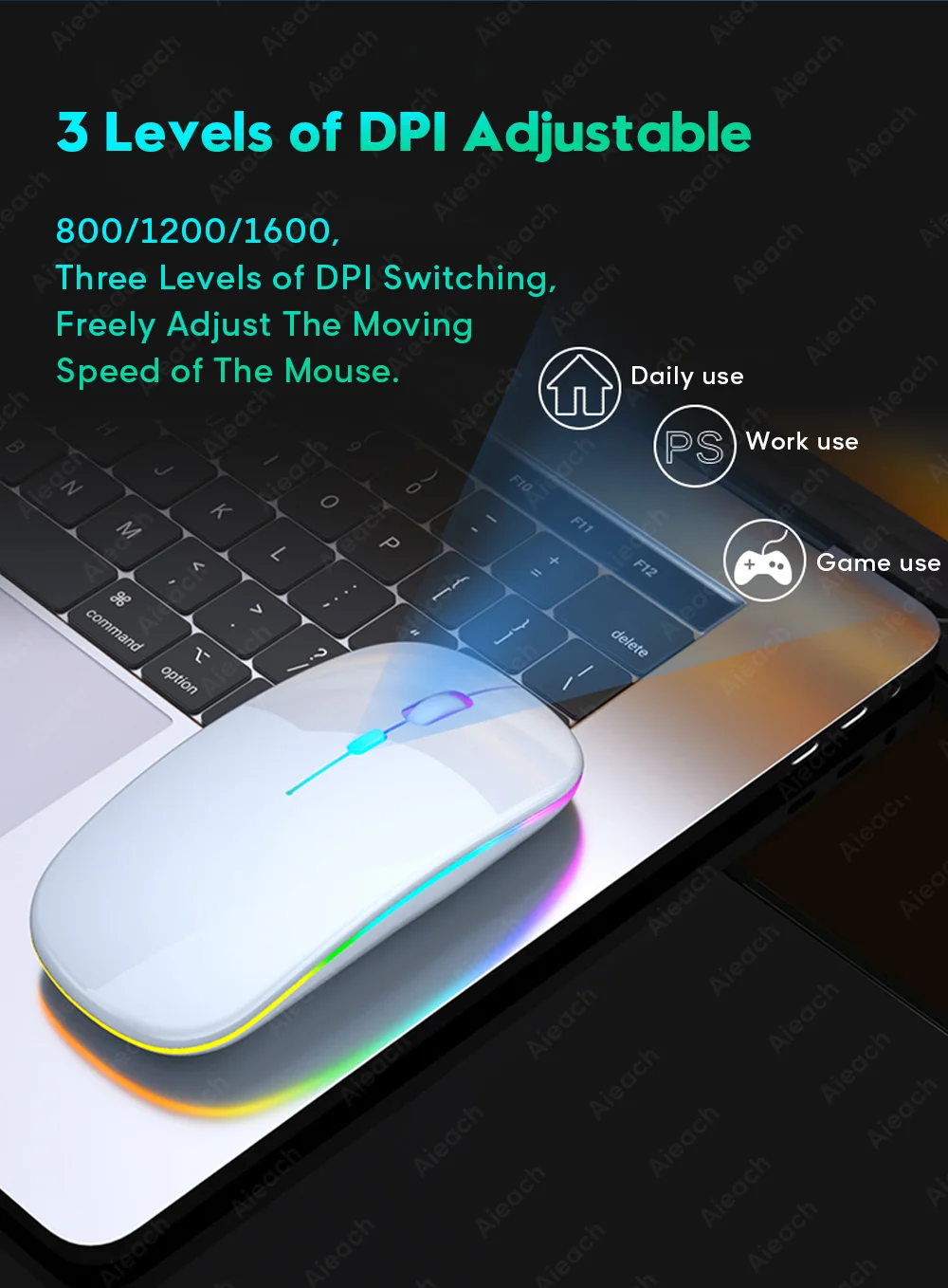
- 3 Adjustable DPI Levels: Switch between 800, 1200, and 1600 DPI freely to customize mouse sensitivity and cursor speed for precise control across different tasks and surfaces.
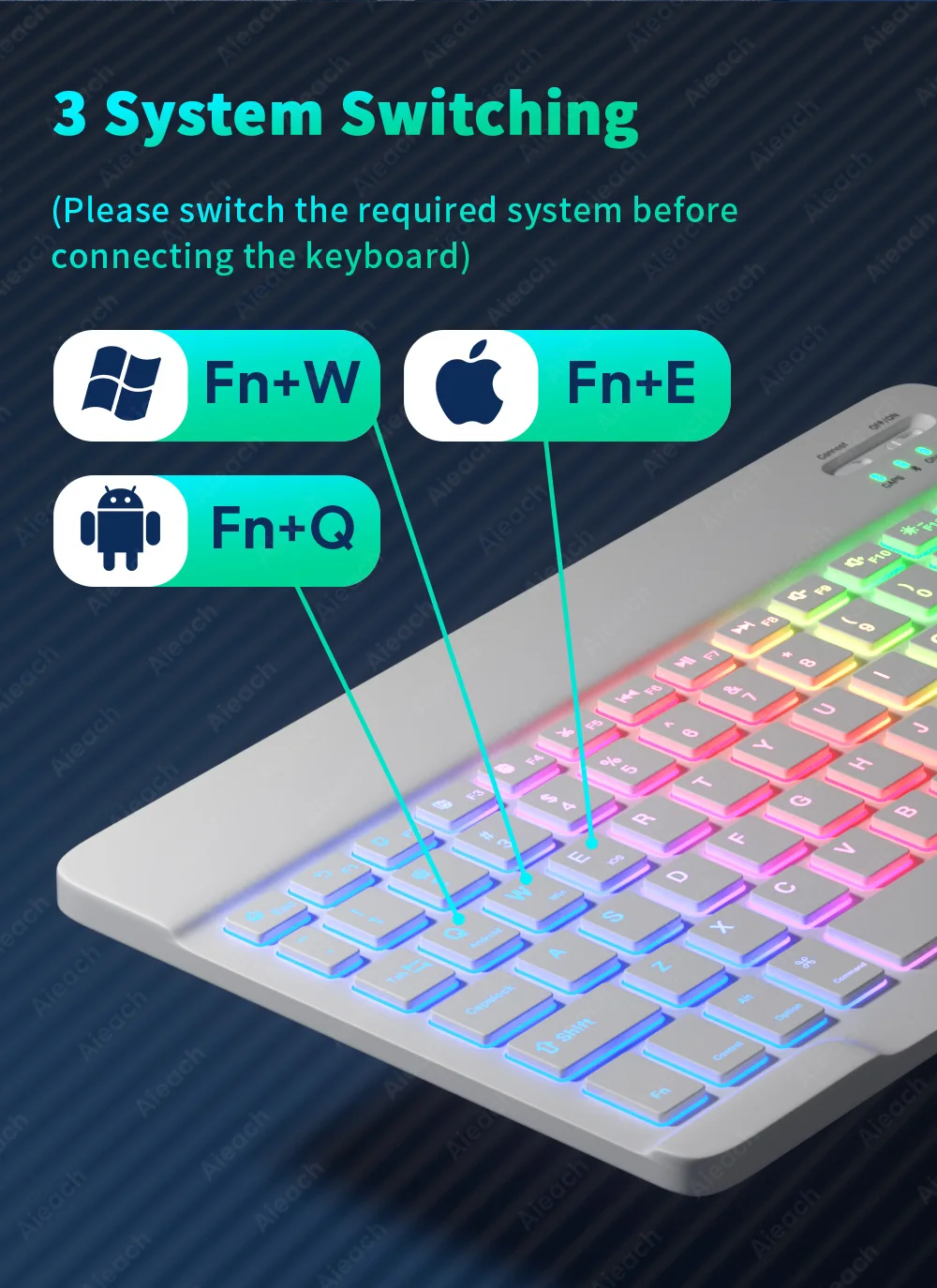
- 3-System Switching: Instantly switch between Android (Fn+Q), Windows (Fn+W), and iOS (Fn+E) shortcut modes — optimized key mapping for each operating system for accurate, frustration-free input.
- Silent Mute Keys: Ultra-quiet key switches deliver comfortable, near-silent typing — ideal for offices, libraries, classrooms, and quiet shared environments.
- Multi-Language Support: Available in Portuguese, Spanish, English, Russian, French, and Korean layouts — with dedicated input method setup for each language on all major platforms.
-
Ultra-Thin Portable Design: Slimmer and lighter than traditional keyboards and mice — fits effortlessly into any backpack or briefcase for easy on-the-go use.
Why Choose This Keyboard & Mouse Combo?
- Universal Device Compatibility: Works across smartphones, tablets, laptops, and desktop PCs on Android, Windows, iOS, and macOS — one set for all your devices.
- RGB That Stands Out: 7-color rainbow backlit keyboard and breathing RGB mouse create a visually stunning, immersive workspace day or night.
- Flexible Dual Connectivity: Bluetooth for wireless freedom on mobile devices and 2.4GHz USB for rock-solid connection on computers — maximum compatibility covered.
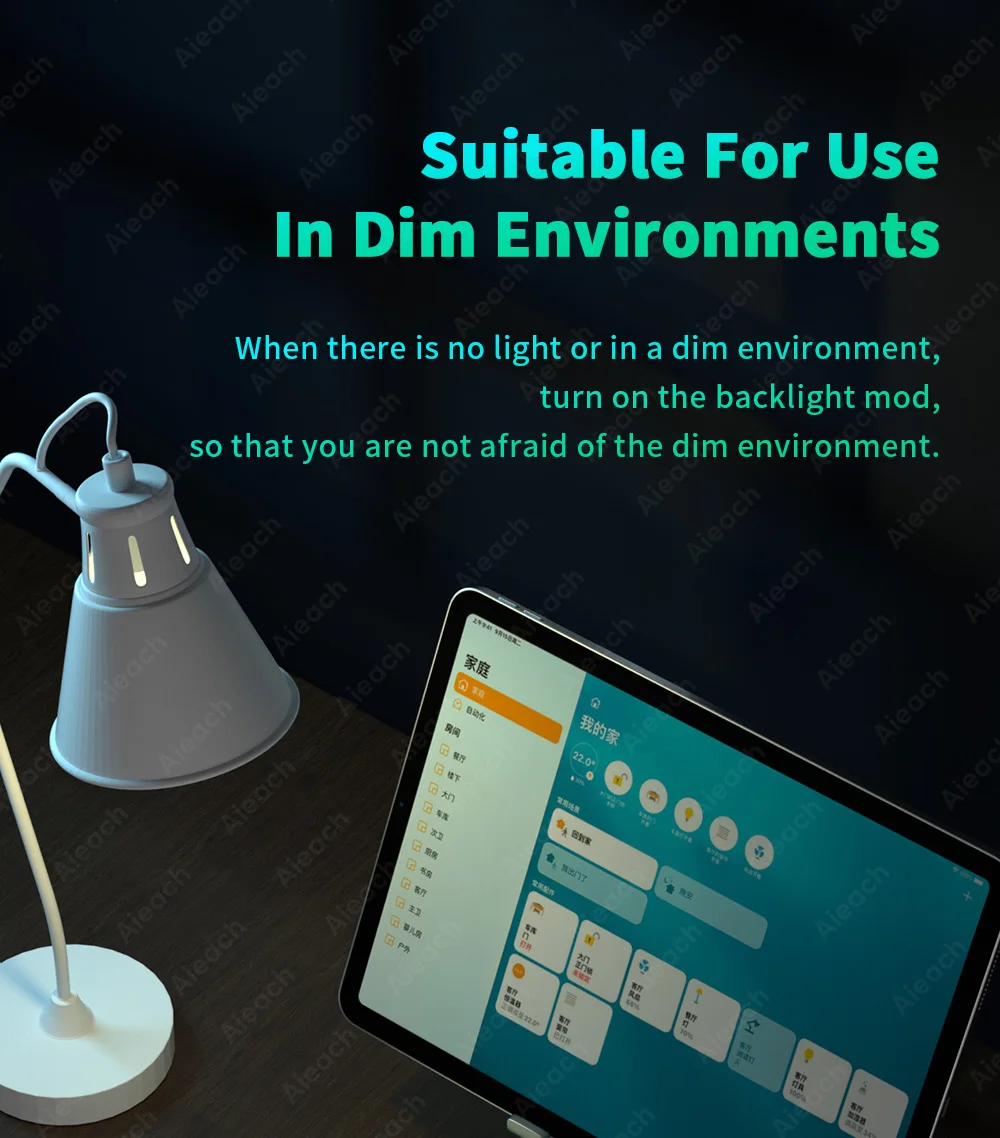
- Dim Environment Ready: Backlit keys ensure comfortable, accurate typing in low-light or no-light environments without straining your eyes.
- Multi-Language Versatility: Six supported keyboard languages make this combo ideal for multilingual users, international travelers, and global remote workers.
Please Note: The mouse breathing light cycles automatically and cannot be manually adjusted. iOS users should upgrade to iOS 13.0 or above for full mouse compatibility.
Specifications:
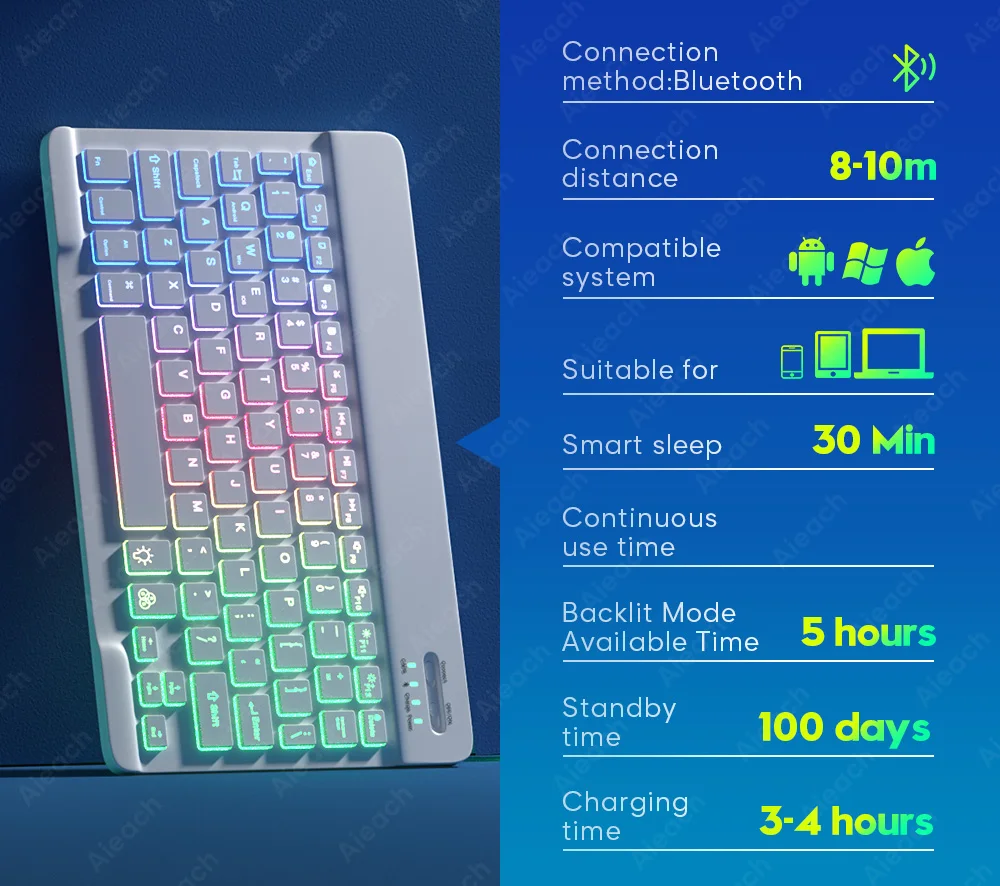
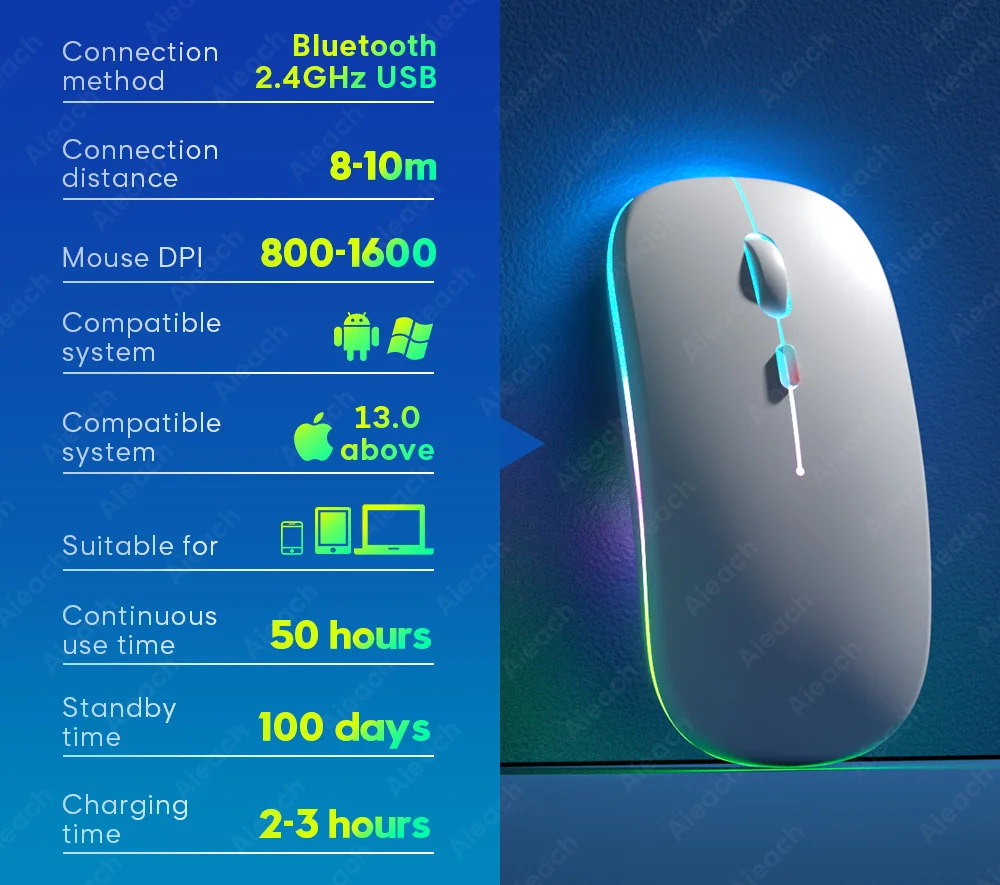
- Connectivity: Keyboard — Bluetooth | Mouse — Bluetooth + 2.4GHz USB Receiver
- Lighting: 7-Color RGB Backlit Keyboard (2 Modes) | Breathing RGB Mouse
- DPI: 800 / 1200 / 1600 Adjustable
- OS Support: Android, Windows, iOS, macOS
- Languages: Portuguese, Spanish, English, Russian, French, Korean
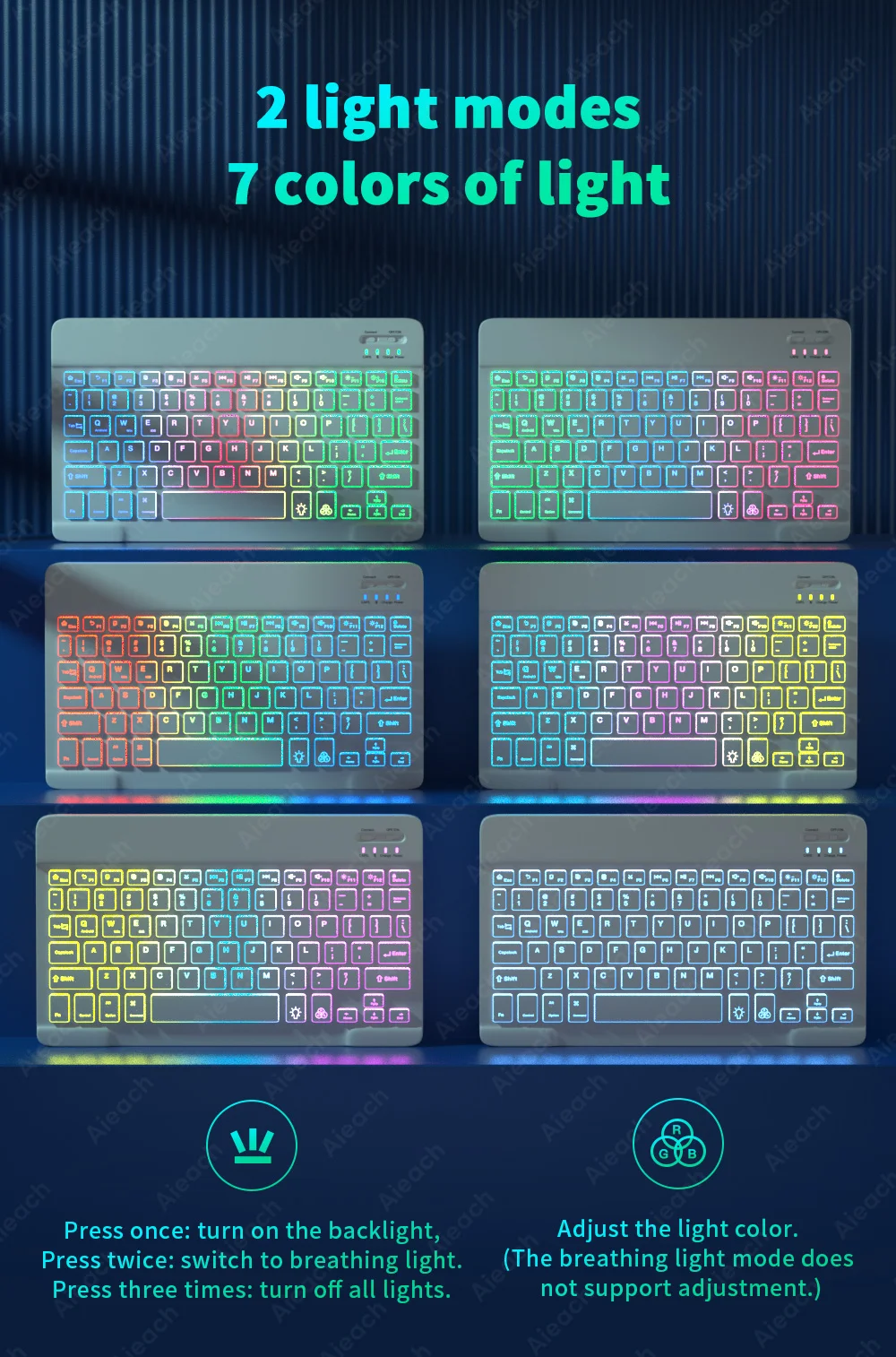
2 light modes 7 colors of light
(💡) button
Press once: turn on the backlight,
Press twice: switch to breathing light.
Press three times: turn off all lights.
(RGB) button
Adjust the light color.
(The breathing light mode does not support adjustment.)
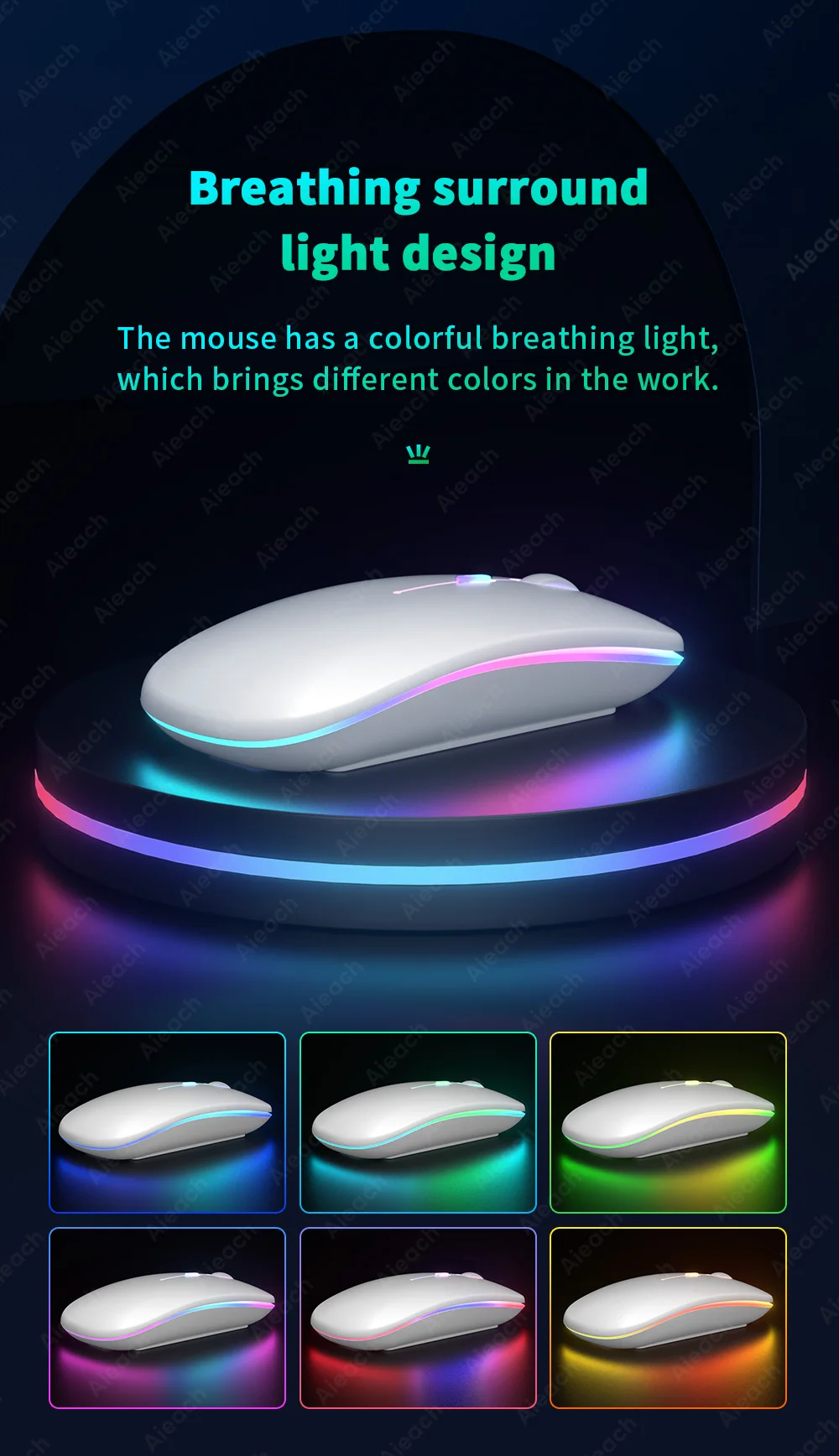
Breathing surround light design
The mouse has a colorful breathing light, which brings different colors in the work.
Suitable For Multiple Operating Systems
Support Android/Windows/iOS/Mac OS System...etc. Smartphones, Tablets, Laptops, PC Computers.
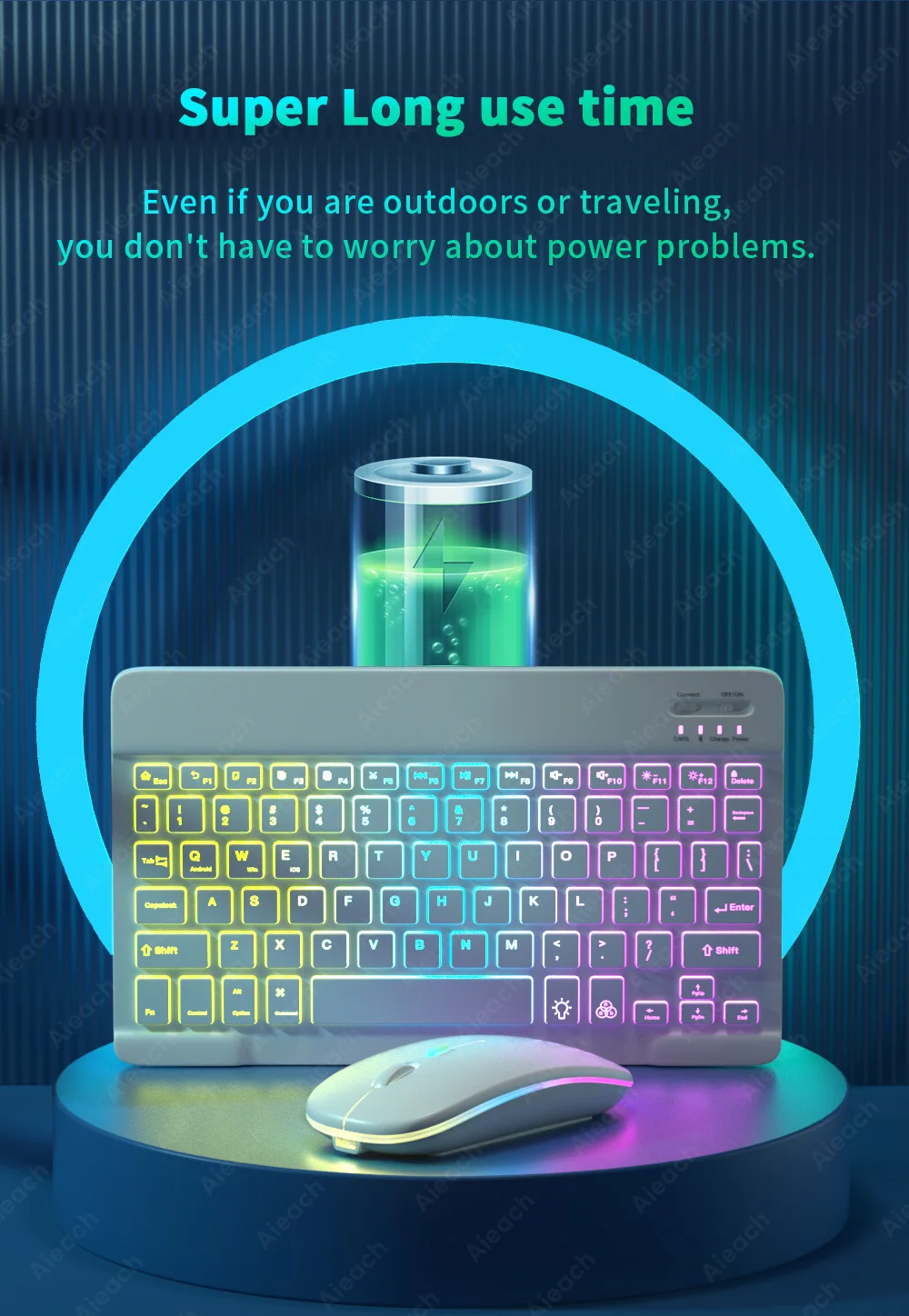
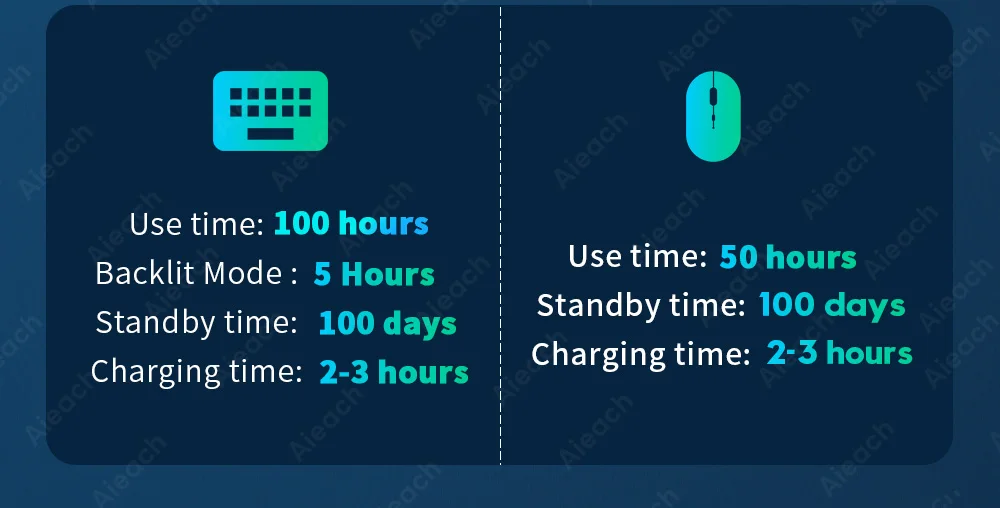
Super Long use time
Even if you are outdoors or traveling, you don't have to worry about power problems.
Tapping is silent
Mute button, comfortable typing,
very suitable for use in a quiet environment.

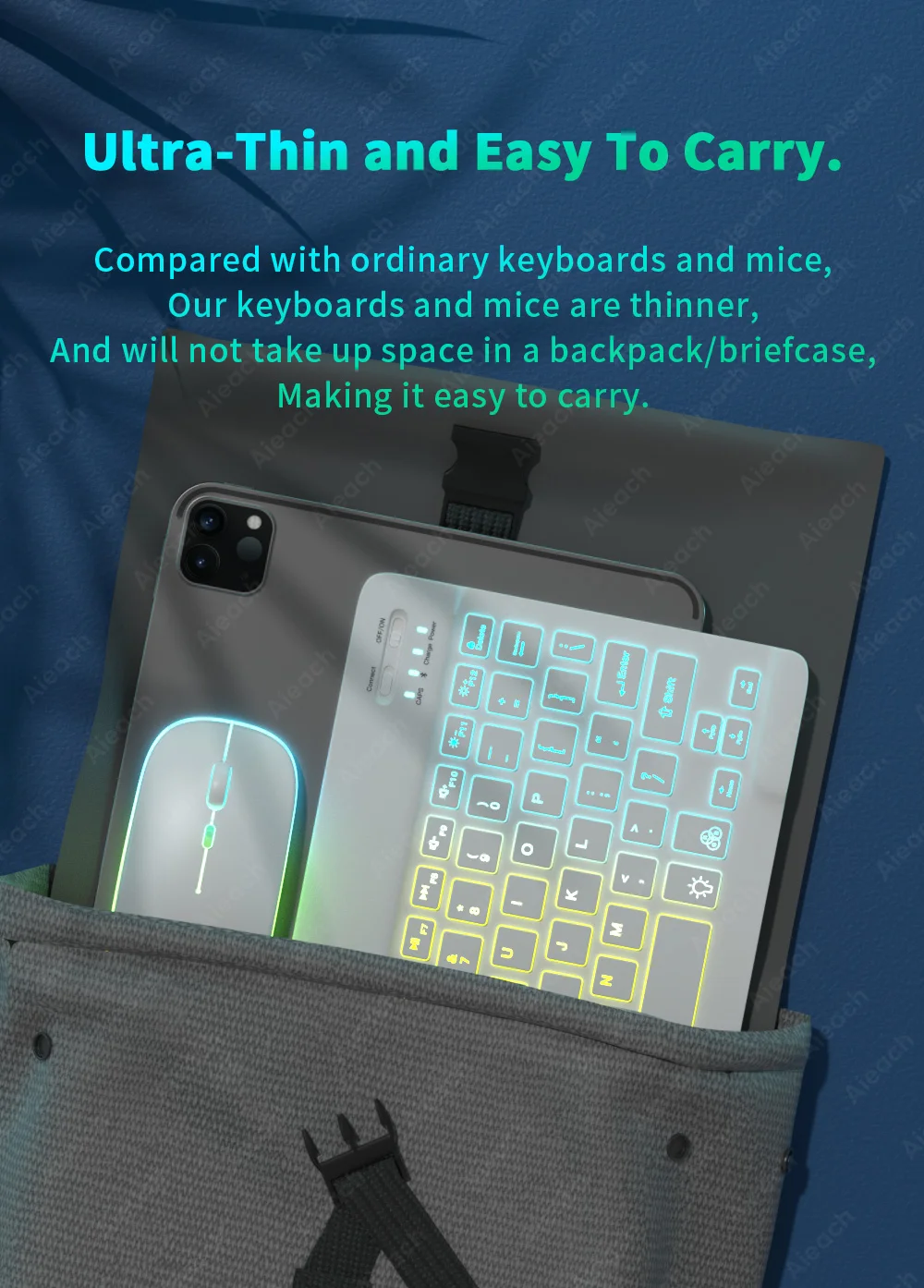
Ultra-Thin and Easy To Carry.
Compared with ordinary keyboards and mice, Our keyboards and mice are thinner, And will not take up space in a backpack/briefcase, Making it easy to carry.
3 System Switching
(Please switch the required system before connecting the keyboard)
Mouse: 2.4GHz USB + Bluetooth connection.
2.4GHz USB: Compatible For Laptops and PC Computers With USB Ports.
Bluetooth-compatible: Compatible For All Smartphones, Tablets, Laptops, and All-in-one PC With Bluetooth.
3 Levels of DPI Adjustable
800/1200/1600, Three Levels of DPI Switching, Freely Adjust The Moving Speed of The Mouse.
Suitable For Use in Dim Environments
When there is no light or in a dim environment, turn on the backlight mode, so that you are not afraid of the dim environment.
Product parameter
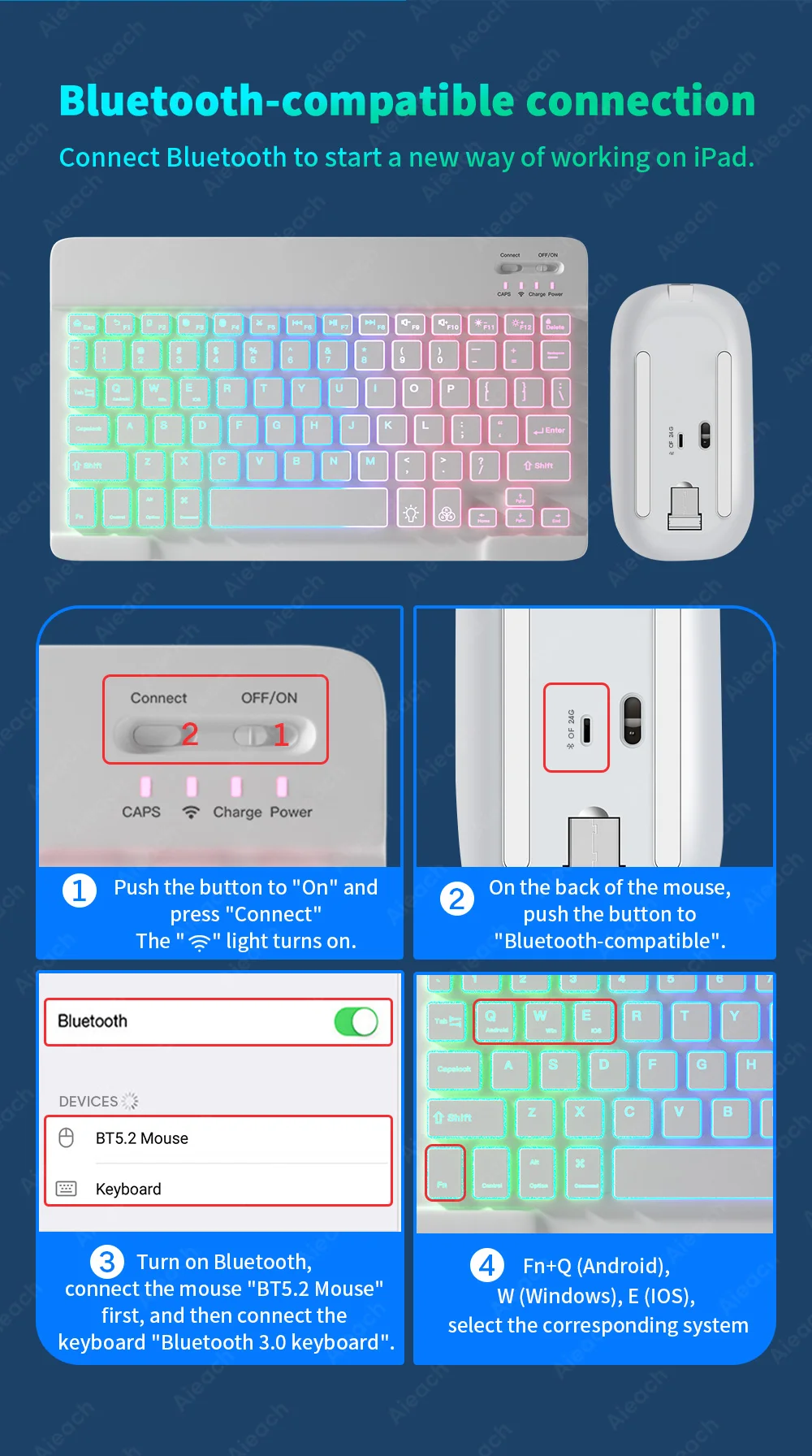
Bluetooth-compatible connection
Please follow the prompts to connect, if you have any questions, please contact our customer support for help.
FAQ
Q: How to connect keyboard & mouse?
A: Connect the mouse first, then connect the keyboard.
Mouse: Push the switch to the "Bluetooth" icon, find the Bluetooth connection with "Mouse" in the device Bluetooth list.
Keyboard: Push the switch in the upper right corner to "ON", press "Connect", and find the Bluetooth connection with "Keyboard" in the device Bluetooth list.
Q: How to switch system between Android/Windows/iOS?
A: Press Fn+Q(Android)/Fn+W(Windows)/Fn+E(iOS) to switch the system. Different system shortcuts are different.(Switching to the wrong system will affect the keyboard's content input.)
Q: How to configure the input method for different language keyboards?
A: Press Fn+Q(Android)/Fn+W(Windows)/Fn+E(iOS) to switch the system. Different system shortcuts are different.(Switching to the wrong system will affect the keyboard's content input.A: Take the iPad as an example, open "General"--"Keyboard"--"Keyboards"--"Add New Keyboard". (For other systems, please set them in the system settings according to the tips of the iPad example.)
Korean + English keyboard: Choose the Korean keyboard input method.
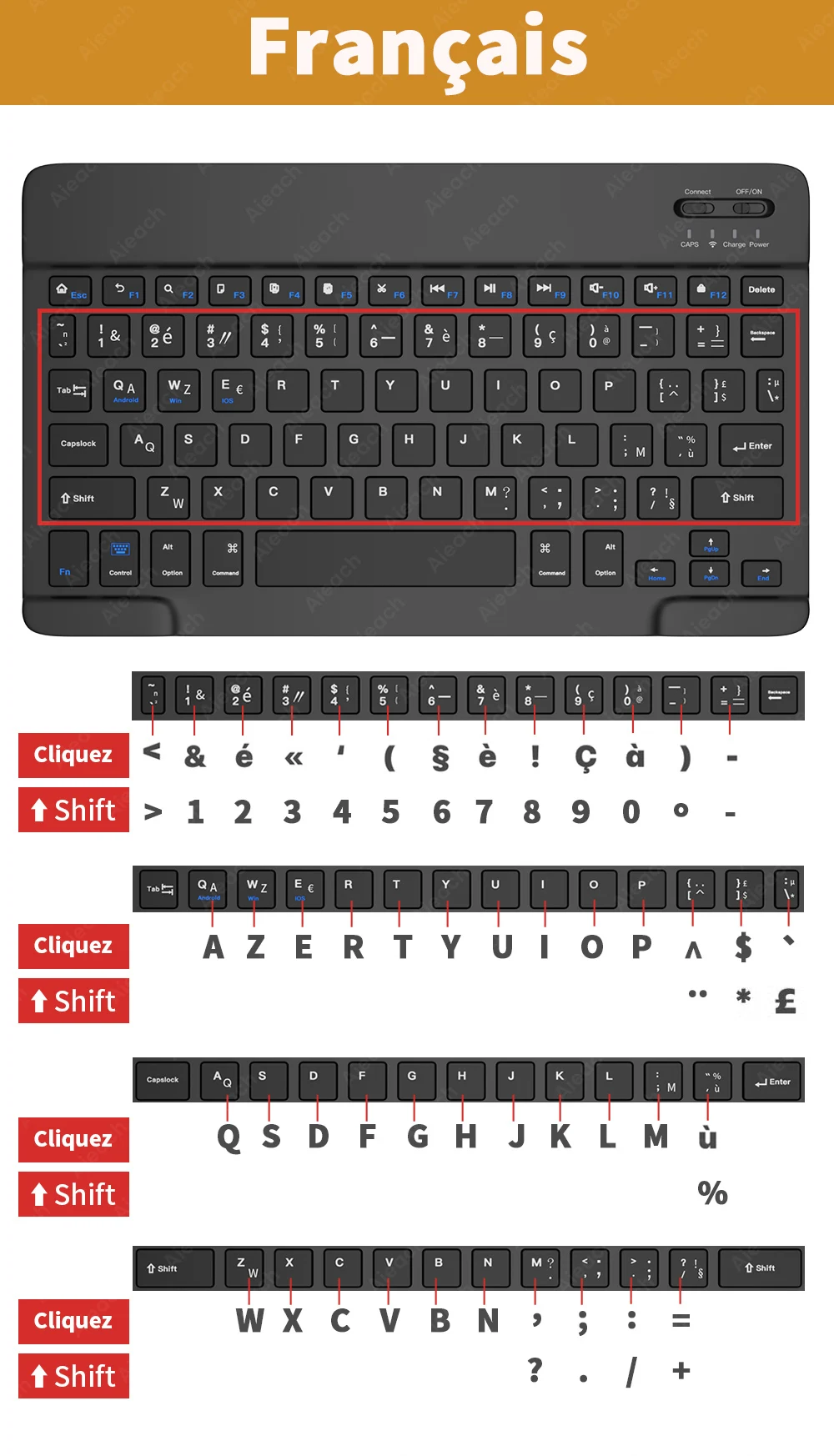
French + English keyboard: Select French (France)--AZERTY keyboard input method.
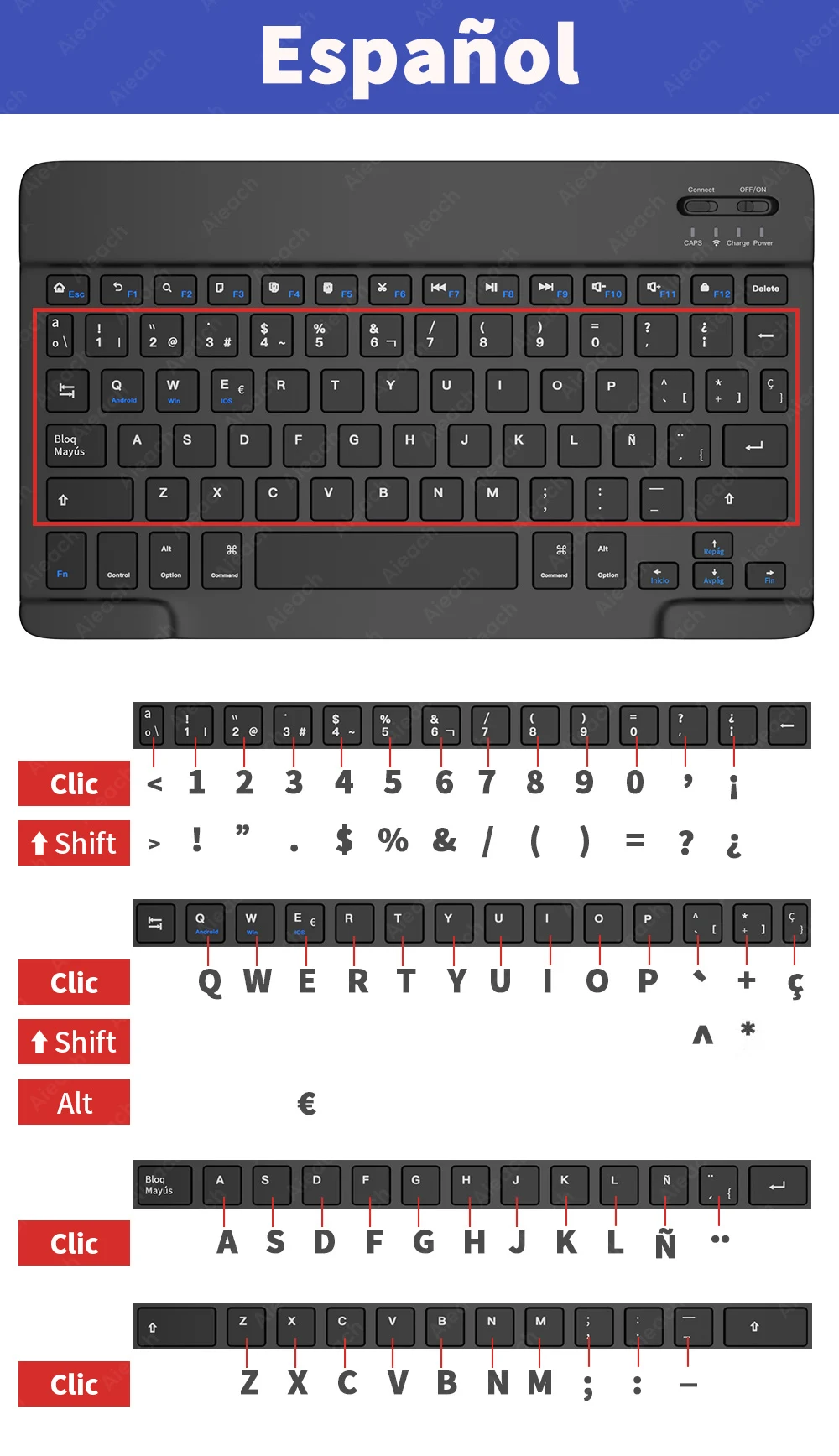
Spanish + English keyboard: Select the Spanish(Spain) keyboard input method.
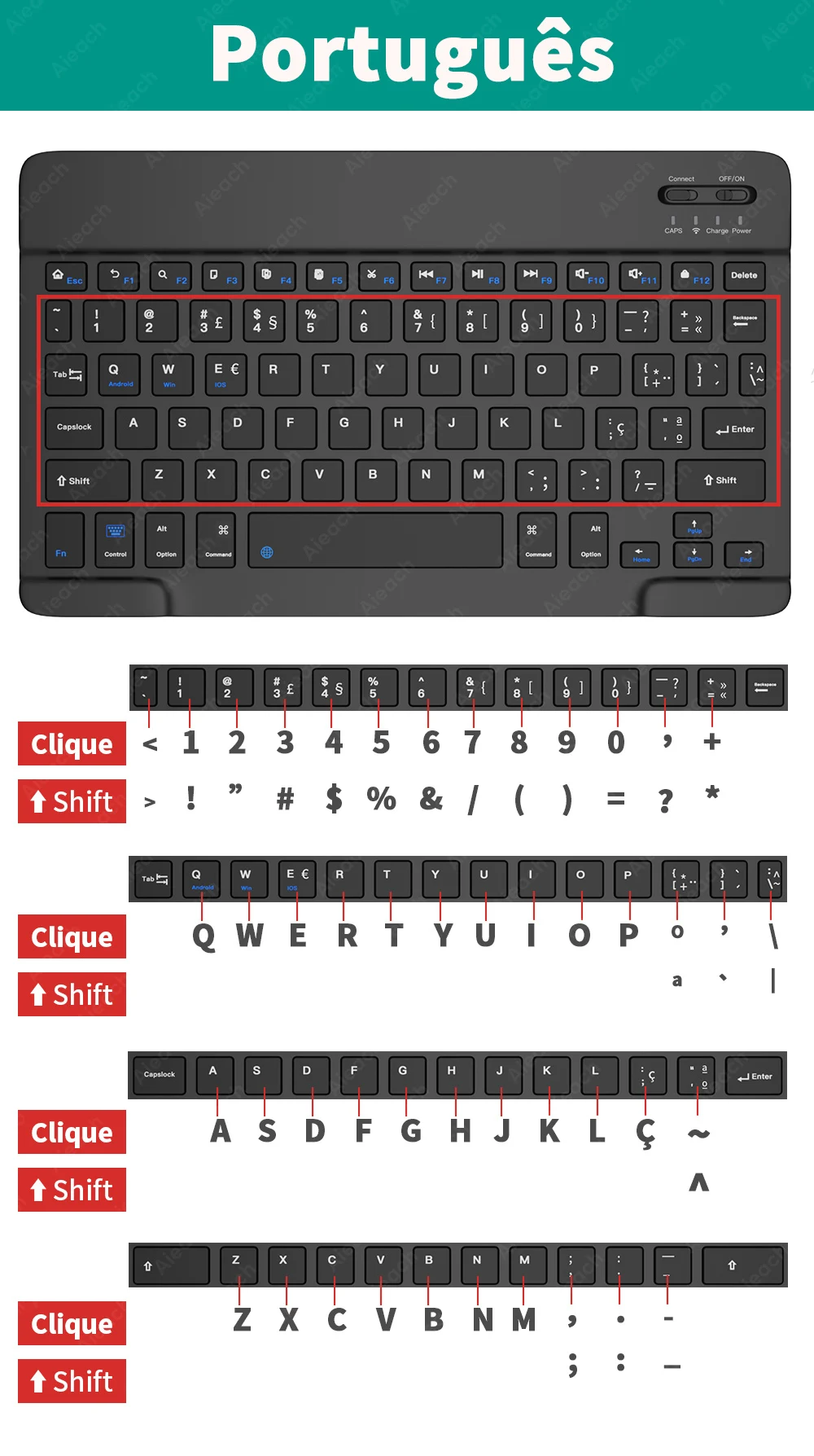
Portuguese + English keyboard: Select the Portuguese (Portugal) keyboard input method.)
Q: What symbols & characters does the keyboard support?
A: Please check the picture below to find the corresponding language keyboard.
Q: What should I pay attention to when using a mouse in iOS system?
A: Upgrade IOS system above 13.0.
Q: Why does Bluetooth display a "connected" mouse but no cursor?
A: Open the settings, find the Accessibility, turn on the Assistive Touch.
Q: How does the mouse change the scroll wheel sliding direction on the iPad.
A: The mouse is connected, open "General" - "Trackpad & Mouse" - close "Natural Scrolling".
Q: What device models are used for the keyboard and mouse?
A: Suitable for smartphones, tablets, laptops, PC computers. (Because the button layout of the keyboard is different from the traditional keyboard, the button shortcuts are different when using it on PCs & laptops, please try it yourself).
Q: How to switch the keyboard input language?
A: Android: Press Shirt + Spacebar or Shirt to switch between different languages.
iOS: Press Control + Spacebar to switch between languages.